I’ve been writing some particularly detailed comments in my code lately and stumbled upon an Reddit post asking about some of the best comments people have come across.
This particular method is absolutely genius.

life, coding, technology, outdoors, photography
I’ve been writing some particularly detailed comments in my code lately and stumbled upon an Reddit post asking about some of the best comments people have come across.
This particular method is absolutely genius.


The pandemic forced a change in the way many knowledge workers work. Many of us have shifted to working from home — some roles are permanent.
I’m fortunate to be in such a position, but it’s been both a blessing and difficult to adjust to.
Distractions are frequent. From regular Zoom meetings, Slack messages and various alert notifications, to email. I think a number of people (myself included) are over compensating in our communication styles.
For software engineers, this causes a lot of context switching. And that’s generally a bad thing.
Context switching can lower productivity, increase fatigue, and, ultimately, lead to developer burnout. Switching tasks requires energy and each switch depletes mental focus needed for high cognitive performance. Over an entire workday, too many context switches can leave developers feeling exhausted and drained.
The impact of context switching lingers even after switching tasks. Cognitive function declines when the mind remains fixated on previous tasks, a phenomenon known as attention residue.
I’ve recently felt myself feeling drained and less productive that usual. While browsing a thread on Hacker News, a comment on Hacker News suggested that someone should read Deep Work by Cal Newport for ideas on how to regain focus and minimize distractions. It was the first I’d heard of that book.
It was pretty enlightening and I was pretty hooked!
It has a number of self-help style steps (that are somewhat obvious, in hindsight) that you can take to improve your situation and increase productivity (e.g., carve out set times when no one can bother you, like early in the morning or late at night, keep consistent times, set reasonable expectations and have a plan, don’t wing it).
But it also had shared some interesting research on how our brains have been rewired to have shorter attention spans, thanks to all our fancy pants technology.
“Once your brain has become accustomed to on-demand distraction, Nass discovered, it’s hard to shake the addiction even when you want to concentrate. To put this more concretely: If every moment of potential boredom in your life—say, having to wait five minutes in line or sit alone in a restaurant until a friend arrives—is relieved with a quick glance at your smartphone, then your brain has likely been rewired to a point where, like the “mental wrecks” in Nass’s research, it’s not ready for deep work—even if you regularly schedule time to practice this concentration.”
Yeah… guilty.
Anyway, definitely want to put some of these ideas into practice. It was a quick read and had some concrete steps on how to improve attention and focus that I can start using immediately. Excited to try it!

I added this to my reading list last year after finishing up Nick Offerman’s book, “Where the Deer and the Antelope Play.” I’m glad I did.
Written by a German forester, it shares insights and discoveries made over the course of his career.
Combining both scientific research and personal insight from his own experiences, it sheds some light on this fascinating flora, from how they’ve (slowly) adapted to their environments, how they support and nurture each other, and how they communicate.
But the most astonishing thing about trees is how social they are. The trees in a forest care for each other, sometimes even going so far as to nourish the stump of a felled tree for centuries after it was cut down by feeding it sugars and other nutrients, and so keeping it alive. Only some stumps are thus nourished. Perhaps they are the parents of the trees that make up the forest of today. A tree’s most important means of staying connected to other trees is a “wood wide web” of soil fungi that connects vegetation in an intimate network that allows the sharing of an enormous amount of information and goods. Scientific research aimed at understanding the astonishing abilities of this partnership between fungi and plant has only just begun. The reason trees share food and communicate is that they need each other. It takes a forest to create a microclimate suitable for tree growth and sustenance. So it’s not surprising that isolated trees have far shorter lives than those living connected together in forests.
The relationship between fungi and trees reminds me of another book that’s on my to-read list: Entangled Life: How Fungi Make Our Worlds, Change Our Minds & Shape Our Futures by Merlin Sheldrake.
Anyway, this was a fascinating look into something that I honestly take for granted. After finishing this book, I immediately wanted to go take a walk through a forest.
Wordle has taken the Internet by storm. And it’s just a simple web app. It’s the perfect game for these pandemic times and it’s fun to discuss strategies with friends and family.
Also, it sucks. Today was my first miss.
Wordle 226 X/6

EDIT: And now, it’s been purchased by The New York Times.
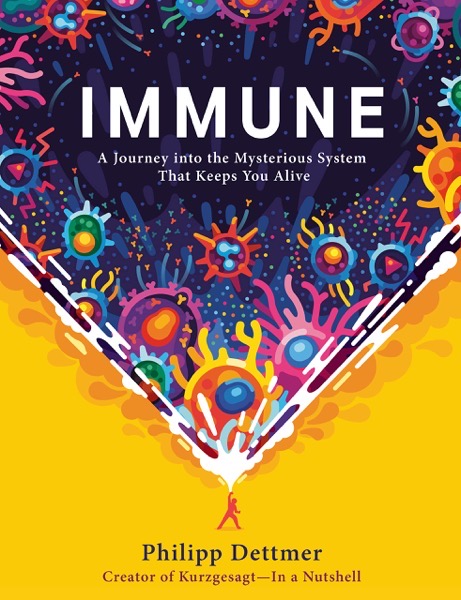
Given the current state of a global pandemic that can severely affect your health (and given the fact that we recently tested positive to the pathogen responsible), this book was an especially relevant read.
It’s an easy to read (and often hilarious) look into how our immune systems work. The incredible complexity of our bodies is amazing, but Dettmer uses all sorts of analogies to make things easy to digest.
For example:
“You can imagine the MHC class II receptor as a hot dog bun that can be filled with a tasty wiener. The wiener in this metaphor is the antigen. The MHC hot dog bun molecule is so important because it represents another security mechanism. Another layer of control.”
The book goes into various detail about how our bodies fight off bacterial and viral infections, the response to an allergic reaction, and how things like vaccines work.
In fact, the whole section on vaccines was especially interesting and particularly devastating to those of the crazy anti-vax persuasion. Prior to the COVID-19 epidemic, one of the biggest anti-vaccination campaigns was against the measles vaccine.
I’ll admit to not knowing much about measles and took it for granted that I was immunized from it. After reading this book, all I can think is, holy crap, what a horrible disease to have willingly chosen to get! Measles actively destroys your immune system and makes you lose immunity to other diseases.
“So in the end, being infected with measles erases the capacity of the immune system to protect you from the diseases that you overcame in the past. Even worse, a measles infection can wipe away the protection that you might have gained from other vaccines, since most vaccines create memory cells. Therefore, in the case of measles, what does not kill you makes you weaker, not stronger. Measles causes irreversible, long-term harm and it maims and kills children.”
Overall, this was a quick, easy and enjoyable book. Highly recommended!

I’ve slowly been working my way through presidential biographies and just finished this book about Thomas Jefferson. (Obviously, this is going very slowly, as he was the third president of the United States).
One thing that has struck me as I’ve read through three books is how my impressions and opinions of various founding fathers has evolved:
After reading “Washington by Ron Chernow”:
After reading “John Adams” by David McCullough:
And now, after reading “The Art of Power” by Jon Meacham:
Bottom line: Biographies paint the subject in the most favorable light and throw everyone else under the bus.
—
I really enjoyed digging into his life and his underlying philosophies. I’ll admit to not knowing much more about Jefferson other than he was the third president of the United States, author of the Declaration of Independence, and his mug and home adorn each side of our five-cent coin.
He was a savvy politician, deep thinker and someone who was completely curious about every facet of life, science and technology.
And man… he really did not like Alexander Hamilton.
Another thing that I didn’t really pick up in previous biographies was the struggle and friction between northern and southern states, 50-some years ahead of the Civil War. There were threats of succession (by Northern states, no less!) in the early 1800’s due to his election and the political power that Southern states held.
Both this book and the John Adams biography went into a lot of detail about their early friendship, the animosity the grew between them while Jefferson served as Adams’ Vice President and the subsequent rekindling of their friendship in the years after Jefferson left office as the third President. They ended up exchanged something like 360 letters with each other until they both died… on the same day:
July 4th, 1826 — the 50th anniversary of the Declaration of Independence.
Bonkers!

Well, this was probably inevitable at this point.
There was an outbreak at our kid’s daycare center a week or so ago, and ended up bringing it home. Now, we’re all positive and hunkered down.
Definitely frustrating, as we’ve really tried to limit our interactions with others and keep the surface area of our bubble as small as possible. Outside of our youngest, we’re all max-vaxed, thankfully.
Here’s to hoping our symptoms are mild and that we’ll be better soon.

Spotify has wrapped (which is fun and cool) and I had some initial opinions on it, via Twitter:
My Spotify Wrapped 2021 is just going to be kids songs all the way down, isn’t it?
Fortunately, it wasn’t! With regards to looking back at musical tastes, I’ve always been partial about Last.FM and it’s also a fun thing to look back on when I remember to grab the data in time — especially since Spotify Wrapped is fully baked around the beginning of December. (Though, that’s probably because a lot of people’s profiles will be overrun with Christmas music.)
My top artists for 2021 are:
1. Bad Religion
2. Bob Dylan
3. Dispatch
4. Fat Freddy’s Drop
5. The Sounds
6. Hot Water Music
7. Joe Strummer
8. Polyphia
9. Bing Crosby
10. The Beatles
Bad Religion tops the list due to reading their biography earlier this year and just really going back through their catalog remembering some of their songs.
It’s kind of interesting comparing it to my musical tastes from 10 years ago. Hot Water Music and Bob Dylan were there. The more things change, the more they stay the same.
